
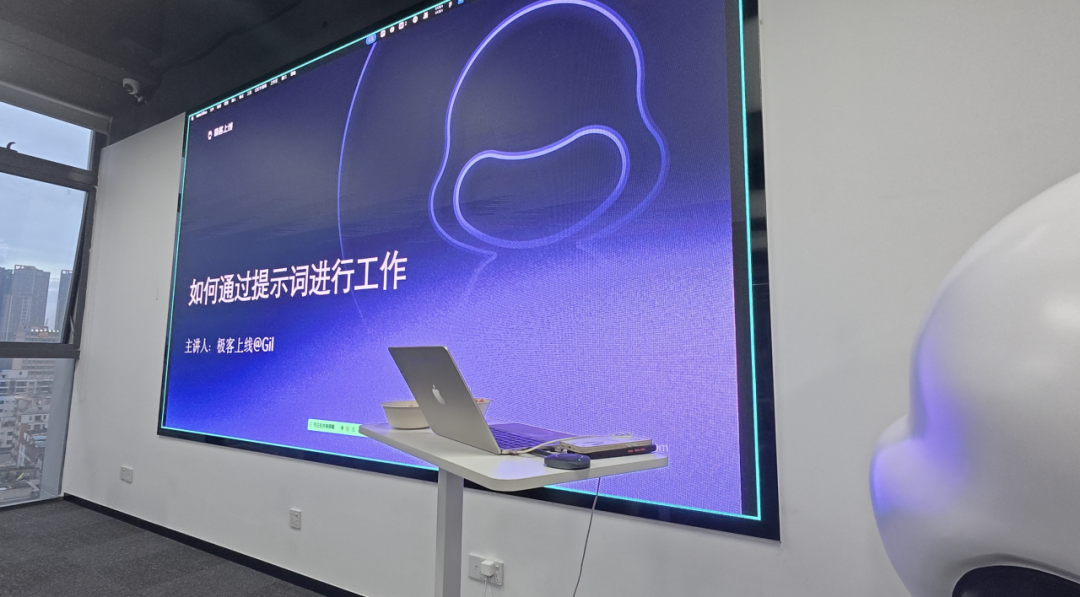

A few days ago, I led an internal technology session at GeekOnUp.
The topic was prompts, a subject that has already been discussed at length.
At first glance, a topic like this invites assumptions.
It sounds like another AI tools session: how to use the major models, write better prompts, refine a question, and take away a few templates before calling it a day.

I use AI heavily, and that volume of practice has gradually shaped a methodology of my own.
Even among people who use AI regularly,
some have integrated it into their workflows and are steadily making work smoother and less demanding;
others still ask whatever comes to mind. They request a summary today, rewrite a paragraph tomorrow, and explain essentially the same context again the day after.
The difference is often neither the model nor how polished a single prompt sounds.
What truly separates the two is whether you have begun to examine and structure your own work carefully.
The session was therefore about using AI to turn fragmented, repetitive work and constant back-and-forth into clearer processes, one step at a time.
This article captures the ideas from that internal discussion in a more considered form.
It is partly a way to organize my own thinking and partly an opportunity to share practical ideas with others who use AI in their daily work.
How We Use AI at Work
Let us begin with the most basic question: how are people using AI today?
I opened the session by asking several colleagues.
Our UI designer gave a representative example. She uploads recordings from project kickoff meetings and asks AI to analyze the customer's views on the brand and visual direction, then identify potential sources of inspiration.
That approach is useful, but it has an immediate limitation: when every request is improvised in natural language, the perspective, level of detail, and format of the output remain inconsistent.
AI usage is even more intensive in engineering.

Some colleagues already use it across many stages of a project.
For example:
They first convert a prototype into structured documentation, use it to understand the requirements quickly, identify complex or high-effort modules, work through the details step by step, and finally generate integration documentation for the frontend team.
One lesson from this approach strongly resonates with me: when a task is long and involves many stages, asking AI to generate everything at once is usually the greatest risk.
The more it generates in one pass, the more errors it tends to introduce.
A more dependable approach is to break the work down, move forward one step at a time, and have a person review and correct each stage before continuing.
For many people, AI usage is still improvised.
That is perfectly adequate for a one-time task.
But when the same task appears three, five, or ten times, or returns every week, continuing to improvise every AI conversation wastes the opportunity to improve the system.
The task should become a defined, repeatable action, or even a dedicated tool.
The idea is simple, but its effect can be significant when applied consistently.
Pre-sales
Start with pre-sales.
The most common challenge in pre-sales is that the work is highly fragmented.
A customer sends a long conversation history, the requirements document lacks detail, and meetings introduce additional ideas in every direction. The team must understand all of that quickly and turn it into material that later stages can use.
If everything is handed to AI with a generic request to summarize it, the model will still produce something,
but it absorbs irrelevant information and returns an inconsistent structure.
One time it may provide a feature list; the next time it uses a different format; on the third attempt, it may omit critical points that still require customer confirmation.
The result may look more efficient, but in practice it is difficult to connect it reliably to the next step.
Once the task becomes a defined standard, the outcome changes completely.
Specify the role, the task, the input material, the required sections, what may be reorganized, and which uncertainties must be listed separately for customer confirmation.
With those rules in place, each new set of conversations and meeting notes can be processed into the same structure: a project overview, platform and user roles, a feature list, and open questions.
The output becomes a working artifact that can move cleanly to the next team.
Product
The product workflow presents the same underlying challenge.
Much of the cognitive load in product work comes from maintaining continuity across a chain of information.
A field has one name in the administration system and another in the customer experience. One step in an order flow changes, while several downstream pages still reflect the old logic. Frontend and backend teams move independently, and people bridge the gaps manually, fixing one issue while missing another.
During the session, the team repeatedly raised one goal: when a single detail changes, could AI identify every related downstream impact and follow that chain through the system?
That requires an assistant capable of contributing to system-level analysis.
It must understand relationships between screens, changes in roles and states, and every location affected when a field changes.
A one-off question is nowhere near sufficient for that job.
Engineering and QA
In engineering and QA, the impact of AI is more immediate.
Engineers feel the speed increase first.
Work that once required half a day or a full day can now reach an initial version in tens of minutes.
Once delivery accelerates, however, new constraints surface immediately.
Code quality, integration documentation, and more all need to keep pace.
The pressure on QA increases accordingly. When engineering can open more than a dozen pull requests in one day, QA can no longer wait for development to finish before testing everything in one batch. QA must enter the process earlier, and may need to work in parallel, testing while implementation is still moving forward.
Introducing AI into work is therefore never as simple as making one role faster.
It forces the entire collaboration chain to adjust its operating rhythm.
That is why a prompt should not be understood merely as a technique for asking better questions. It is closer to a work specification.
A strong one-time answer solves today's problem.
A reusable prompt and workflow solve the same problem many times in the future.
How to Design Effective Prompts
Here is the approach I use to build prompts.
Step 1: Define the structure
Begin by clarifying what work is being done, where the request comes from, and what the final output must be.
Consider a pre-sales handoff:
When product receives pre-sales material and needs to structure the requirements, the expected outputs may include a role inventory, functional requirements, and a business process diagram.
The team must also decide the format of that process diagram and whether relationships between roles should be explained in text or shown visually.
Once the intended structure is clear, I prefer to begin with an open conversation with AI.
Often, we do not yet know exactly what we want AI to produce,
or which sections the result should contain. In that case, start with dialogue.
Ask AI to help break the task apart, question each step, and map the workflow. A person then reviews and validates the result.
As the conversation develops, your own understanding of the desired outcome becomes clearer.
That is the value of a structural document: it forces ambiguous thinking into an explicit form.


In pre-sales, a structured line of questioning can produce clear documentation for a person to validate.
Step 2: Add the detail
With the structure in place, add the task definition, input and output requirements, operating principles, validation rules, and knowledge that should be retained. The prompt gradually becomes a dependable specification.

Step 3: Test and iterate
I have been iterating on this approach since January, and several frameworks are still evolving.
After every change, I run the workflow myself to see whether AI interprets it as intended.
AI does not understand everyday language as consistently as we often assume.
A request that feels perfectly clear to you may still lead the model in an unexpected direction.
Changing one sentence can alter the meaning of an entire section below it.
Effective prompt design therefore requires patience.
I later developed a simple tool concept around this problem:
If you do not know how to write the prompt at first, do not force it. Let AI ask the questions instead.
It can ask about your role, the work you are doing, and the outcome you need.
You answer, and it organizes the information.
It continues asking, and you continue adding detail.
By the end, you have a simple first version of the prompt framework.

I now use this approach not only in pre-sales, but also for resume screening, requirements analysis, and prototype generation.
The pattern is consistent: first let AI understand the role, then have it ask questions according to the logic of that role, and it will turn a vague idea into a usable work specification.
Final Thoughts
This internal session represented only one stage in my own learning. It was far from a definitive answer.
Many parts are still being tested, revised, and learned through mistakes.
AI is developing quickly. Tools will continue to change, and models will continue to improve.
In the end, however, a person's ability to work effectively with AI still depends on the quality of their own thinking.
AI cannot anticipate what lies outside its frame, and it cannot recognize boundaries it has never been shown.
Perspective, judgment, tradeoffs, and priorities remain human responsibilities.
AI accelerates. People set the direction.
At least today, that principle has not changed.